
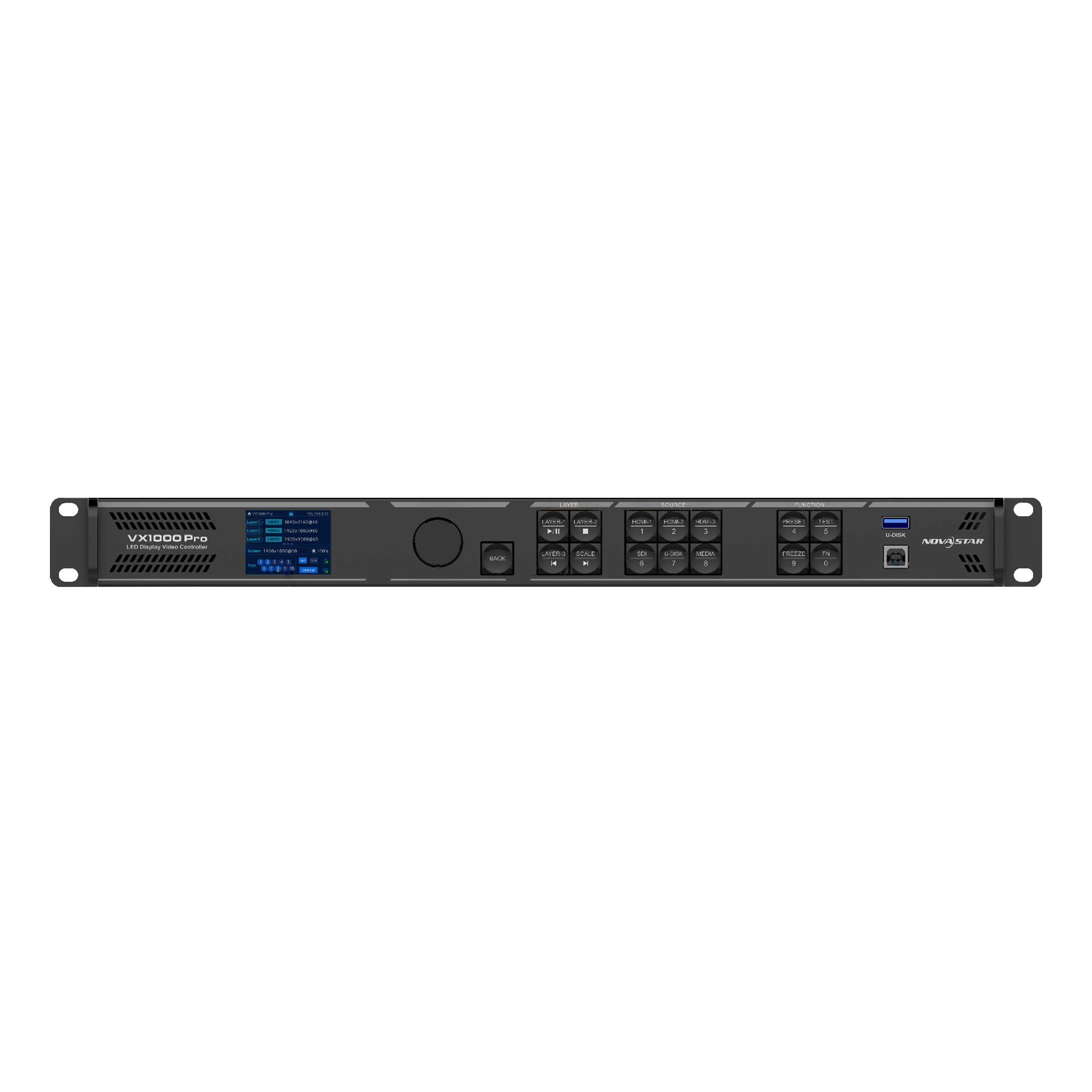
VX1000 PRO Processor
The VX1000 Pro is an all-in-one controller that combines video processing and video control capabilities into a single device. Equipped with 10 Ethernet ports, it supports three operating modes: video controller, fiber converter, and ByPass. Capable of managing up to 6.5 million pixels, the VX1000 Pro can generate an output with a maximum width of 10,240 pixels and a height of 8,192 pixels, making it perfectly suited for controlling ultra-wide and ultra-tall LED displays on-site.
Request a quote
MODEL: VX 1000 PRO
Features
Multiple connectors, flexible input and output
- A wide range of input connectors
- 1x HDMI 2.0 (Input and Loop-through)
- 2x HDMI 1.3
- 1x 10G fiber optic port (OPT 1)
- 1x 3G-SDI (INPUT and LOOP)
- 1x USB 3.0 (Plays images or videos stored on a USB drive).
- Output connectors
- 10 Gigabit Ethernet ports
- A single device supports up to 6.5 million pixels, with a maximum width of 10,240 pixels and a maximum height of 8,192 pixels.
- 2x Fiber ports
- OPT 1 sends the output to Ethernet ports 1 through 10.
- OPT 2 mirrors or backs up the output on Ethernet ports 1–10.
- 1x HDMI 1.3 (for a monitor).
- 1x 3D connector (Connects directly to a third-party 3D transmitter).
- OPT 1: Auto-adjustable for video input or send card output
- Thanks to its self-adjusting design, OPT 1 can be used as an input or output connector, depending on the device to which it is connected.
- Audio input and output
- Audio input with HDMI sources
- Separate 3.5 mm audio input and output
- Adjustable output volume
- Free topology
- Flexible display configuration without rectangle restrictions on a single Ethernet port. The maximum bounding rectangle of the large display loaded by the device must fall within the device's load capacity.
- Specific receiver cards are required.
- Low latency
- By enabling the low-latency feature and ByPass mode, the device's latency can be reduced to 0 frames.
- Output synchronization
- An input source connected to the device's video connector or an external Genlock source can be used as a synchronization source to ensure that the output images from all cascaded units are synchronized.
- EDID Management
- Import and export EDID files.
A variety of display options for flexible configuration
-
Easy saving and loading of presets
-
Supports up to 256 user-defined presets.
-
Load a preset with the simple press of a button.
-
Save, overwrite, or delete a preset.
-
Preview the layer arrangement saved in the preset.
-
-
Multi-layer display
-
Supports 6 * 2K×1K layer resources.
-
Users can create layers in three different resolutions: 4K×2K, 4K×1K, and 2K×1K. These layers will use 2K layer resources at 4x, 2x, and 1x magnification, respectively, depending on the resolution of the input source used to open the layers.
-
Adjustable size and position of the layer
-
Adjustable layer priority
-
Adjustable aspect ratio
-
-
OSD (On-Screen Display) Function
-
It supports text OSD and image OSD. For text OSD, four components are available: static text OSD, dynamic text OSD, weather OSD, and time OSD.
-
It supports customization of text content, font, font color, font size, opacity, and background color.
-
Supports configuration of scroll direction, starting position, and speed for the dynamic text OSD.
-
-
3D Feature
-
Traditional solution:Connect the EMT200 Pro 3D transmitter to the device's Ethernet port and use compatible 3D glasses to enjoy a 3D viewing experience.
-
New solution:Connect the third-party 3D transmitter to the device's 3D port and use compatible 3D glasses to enjoy a 3D viewing experience.
-
Note:When the 3D feature is enabled and the video source format is Side-by-Side or Top-and-Bottom, the device's output capacity will be reduced by half.
-
-
Custom image scaling: Supports three image scaling modes: full screen, pixel-for-pixel, and custom.
-
Powerful video processing
-
Based on SuperView III image-quality processing technologies to provide continuous (step-free) output scaling.
-
Full-screen view with a single click
-
Free admission
-
-
Color adjustment: Supports output color management, including brightness, saturation, contrast, and hue.
-
Pixel-level brightness and chroma calibration: Works with NovaLCT and NovaStar’s calibration software to support brightness and chroma calibration for each LED, which can effectively eliminate color discrepancies and greatly improve the brightness and chroma consistency of the LED display, resulting in better image quality. The on-screen display function for testing is also supported.
USB playback: quick and easy
- Supports USB playback for easy plug-and-play use.
Multiple device modes and operating modes, convenient and efficient
- Various working modes
- Video controller
- Fiber converter
- ByPass
- Multiple control options
- Front panel knob on the device
- Unico (Both the client software and web-based control are supported).
- NovaLCT
- VICP App
- Remote Control (optional): Enable or disable the device's standby mode, turn the screen on or off, adjust the screen brightness and output volume, switch between presets, configure USB playback settings, adjust the output image quality, change the input sources for the layers, and configure the 3D function using a remote control. For a description of the remote control buttons and functions, refer to the user manual.
Data retention after a power outage and a stable, reliable backup design
- End-to-end support
- Cross-device backup
- Backup between input sources
- Backup between Ethernet ports
- Backup between OPT and Ethernet ports
- Dual-slot card holder
- Device Restore: You can create up to 5 restore points (total capacity limit: 1 GB). Each restore point is a snapshot of the device's configuration at a specific point in time. If something unexpected happens, simply select a restore point to quickly revert the device's configuration to the state it was in when the restore point was created.
- Ethernet Port Backup Test: Test whether the pre-stored images, backup Ethernet ports, and devices take effect without having to connect and disconnect the Ethernet cables.
- Data retention after a power outage: After a normal shutdown or an unexpected power outage, the settings previously saved on the device will be automatically restored when power is restored.
- Rigorous 24/7 stability testing under extreme high and low temperatures, demonstrating robust stability and reliability.
Latency on the VX1000 Pro
| How It Works | Low Latency (Unit: Frame) | No Low Latency (Unit: Frame) |
|---|---|---|
| Video controller | 1–2 | 2–3 |
| ByPass | 0 | 1 |
| Fiber converter | 0 | 0 |
Certifications
- CE, FCC, IC, PSE, RCM, EAC, UL, CB, KC, RoHS: If the product does not have the relevant certifications required by the countries or regions where it will be sold, please contact NovaStar to confirm or resolve the issue. Otherwise, the customer will be liable for any legal risks incurred, or NovaStar will have the right to claim compensation.